5. Throw Limiters
Physical throw limiter adapters that set hard limits on the RHINO’s stick movement. They restrict the gimbal’s range of motion mechanically, complementing or replacing software-based limiters.
5.1 Why Use a Throw Limiter?
The RHINO has 22 degrees of throw — generous by FFB base standards. For some users, especially those flying with extensions, this can feel excessive. Software limiters exist but may not feel firm enough under high force settings. Physical throw limiters provide a solid mechanical stop that cannot be overcome by force.
5.2 How It Works
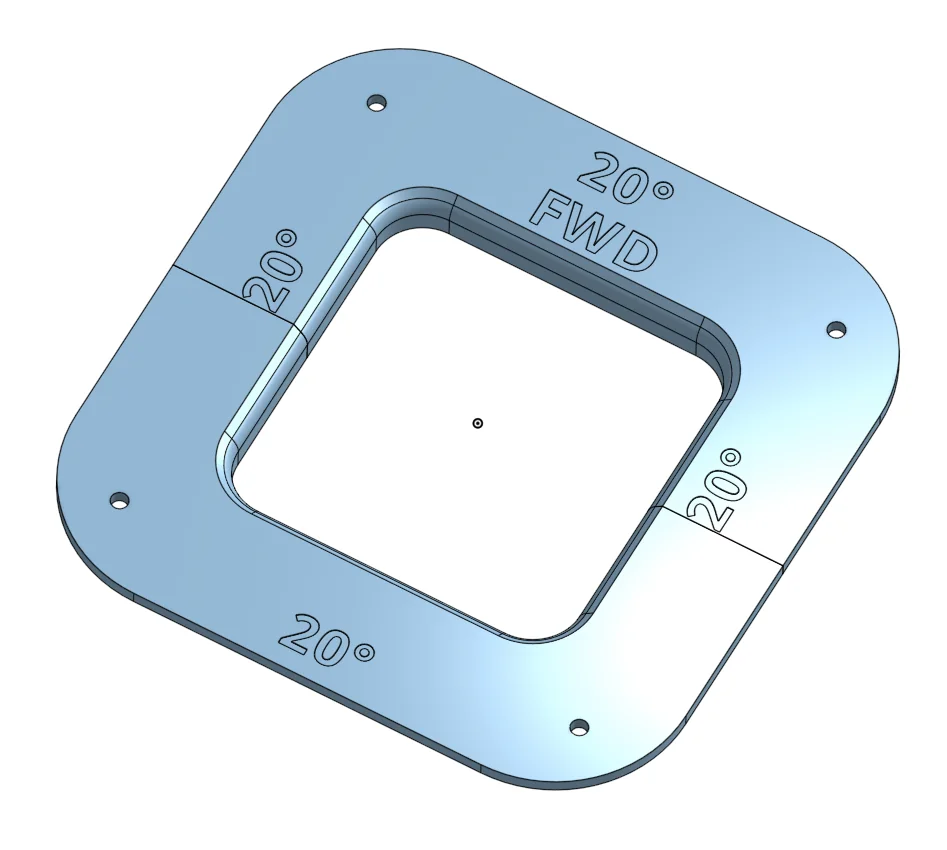
The limiter consists of two plates (front and back) that sit in the opening around the stick shaft, inside the dust cover. They physically block the gimbal from reaching its full travel. Different limiter configurations can restrict different axes independently.
5.3 Availability
Order from VPforce — Pre-made limiters are available directly from VPforce.
3D Print Your Own — A fully parametric CAD model is available on Onshape. You can adjust the throw angles to your exact preference before printing:
5.4 Installation
Installation takes under 5 minutes with a Torx T5 screwdriver. See the step-by-step guide in the RHINO Maintenance section: